
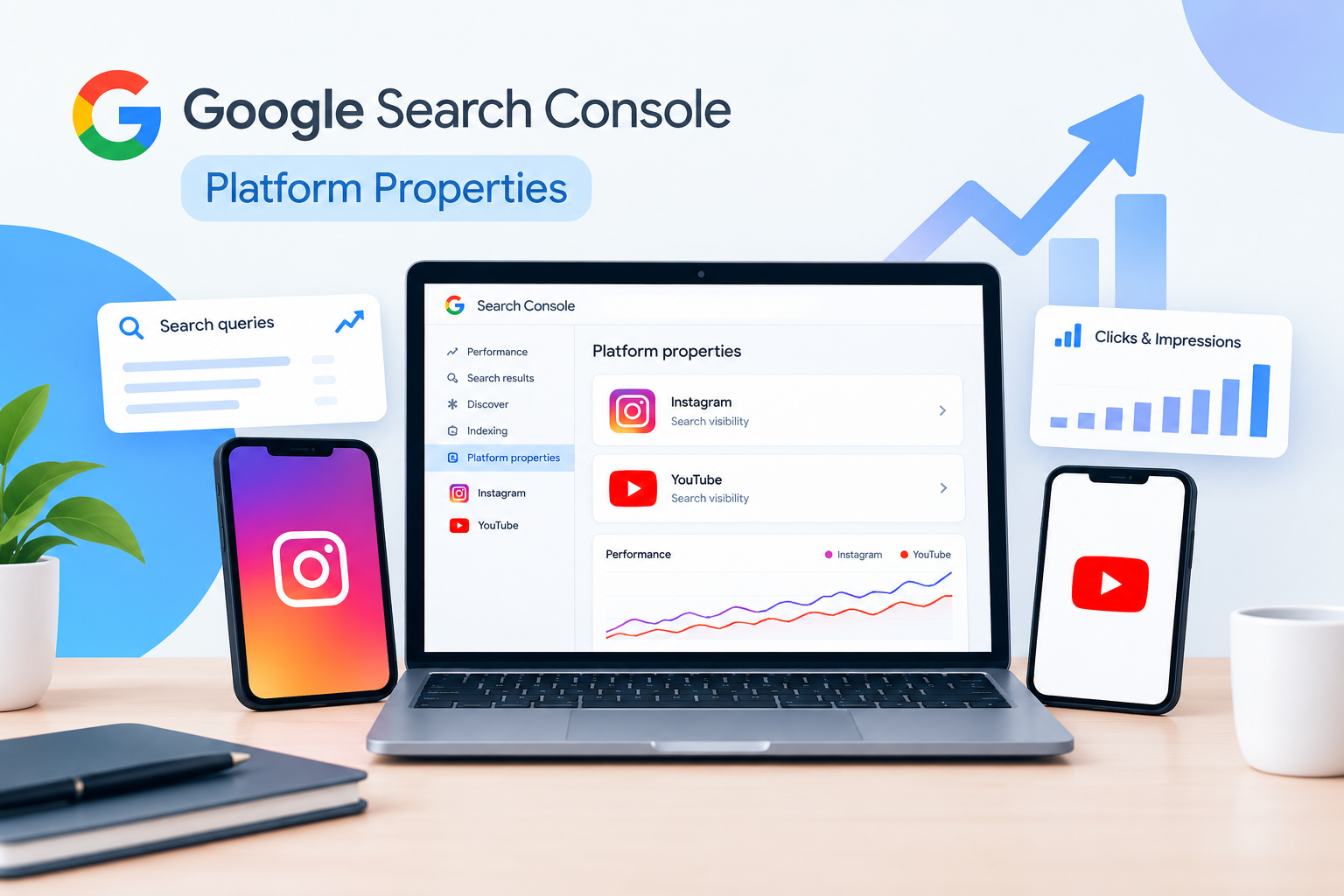
You publish Instagram posts regularly. Your YouTube channel has useful videos, and your social media team checks views, likes, comments, and followers every week. But there is one question you may still struggle to answer: How many people discover your social content through Google Search, and what are they searching for?
This matters because people do not always discover a business through its website. Someone might search Google for a product comparison, find an Instagram post, and visit the profile. Another person might search for a how-to question, discover a YouTube video, and learn about your business before contacting you.
Until recently, website owners often relied on separate reporting tools to understand these different discovery paths. Google Search Console’s Platform Properties give creators, publishers, and businesses another way to measure how their supported social media accounts and video channels perform in Google Search.
Introduced in July 2026, this feature supports Instagram, YouTube, TikTok, and X. It lets you examine search queries, clicks, impressions, and content performance for supported accounts without requiring you to own a separate website for each platform.
In this guide, we will explain how Google Search Console Platform Properties work, how to measure Instagram search visibility and YouTube search visibility, and how to turn the data into practical content decisions that support your SEO goals.
What Are Google Search Console Platform Properties?
Google Search Console Platform Properties are a property type that lets you monitor how your content on supported social and video platforms performs in Google Search.
Previously, many marketers primarily used Search Console to measure website performance. They could see which queries brought visitors to their website, which pages received clicks, and how their average search positions changed.
Platform Properties extend that reporting to eligible social media accounts and video channels.
For example, imagine you run a digital marketing agency that publishes SEO tutorials on YouTube and practical marketing tips on Instagram. You want to know whether people find those resources through Google, not just through the platforms themselves.
With the relevant Platform Properties connected, you can examine the available search performance data for each account and identify the content and queries attracting attention.
Google provides three useful reporting areas:
- Performance report: Review clicks, impressions, click-through rate (CTR), average position, and available query or content details.
- Insights report: Understand recent traffic trends, popular content, and the search queries or query groups bringing people to your content.
- Achievements: Track certain milestones in your Google Search performance.
The main benefit is straightforward: you can understand how your social content is discovered on Google instead of relying exclusively on likes, views, or follower growth.
One important distinction remains. Platform Properties measure eligible content performance through Google Search and supported Google discovery surfaces. They do not show every search performed inside Instagram or YouTube, nor do they replace the platforms’ native analytics.
Why Do Platform Properties Matter for Social Media SEO Performance?
A social post can perform well on Instagram without receiving much visibility on Google. Similarly, a YouTube video can attract views through recommendations while receiving relatively little traffic from Google Search.
These are different discovery paths, and understanding them helps you make better content decisions.
Consider a digital marketing agency that publishes a YouTube tutorial about website audits. YouTube Studio may show how many people watched the video, how long they watched, and where viewers discovered it within YouTube.
Search Console can help answer a different question: which Google searches led people to that video?
That information can influence your next content decision. If the video attracts relevant search queries about technical SEO, you might create another tutorial addressing indexing issues or website performance.
The same principle applies to Instagram. If your profile or eligible posts appear for searches related to your services, you can identify which topics attract search interest and decide what to publish next.
For businesses, this creates three practical opportunities:
Find topics people are already searching for. Instead of guessing which questions your audience cares about, use available query data to identify relevant subjects.
Understand how people discover your brand. Branded and non-branded searches can reveal whether users are looking specifically for your business or discovering your content through broader industry topics.
Make content planning more focused. Use search performance to decide which subjects deserve a follow-up post, a new video, or a supporting website article.
Platform Properties will not automatically improve rankings or generate leads. Their value comes from helping you understand what is happening and make more informed decisions about your content.
How to Set Up Google Search Console Platform Properties
Setting up a Platform Property is relatively straightforward if you have access to the account or channel you want to monitor.
Step 1: Open Google Search Console
Visit Google Search Console and sign in to your Google account.
If you already monitor your business website in Search Console, you can manage your supported social accounts from the same account. You do not need to create a separate Google account for every platform.
Step 2: Add a Platform Property
Open the property selector in the sidebar and select Add property.
Choose the platform you want to monitor from the available options. Google supports Instagram, YouTube, TikTok, and X.
Remember that a Platform Property is different from a website’s Domain or URL-prefix property. A website property measures the relevant website URLs, while a Platform Property measures your presence on a supported social or video platform.
Step 3: Verify Your Account or Channel
Follow the on-screen verification instructions.
Google supports verification through an existing website property or direct platform login, depending on the account and verification flow available to you.
Make sure you have the necessary access to the Instagram account or YouTube channel. If you manage several profiles, add each one separately.
Step 4: Open the New Property
After verification, select the new property and open its available reports.
It may take a few days for performance data to appear. If the reports are empty immediately after setup, check the verification status and revisit the property later.
Step 5: Start With the Performance Report
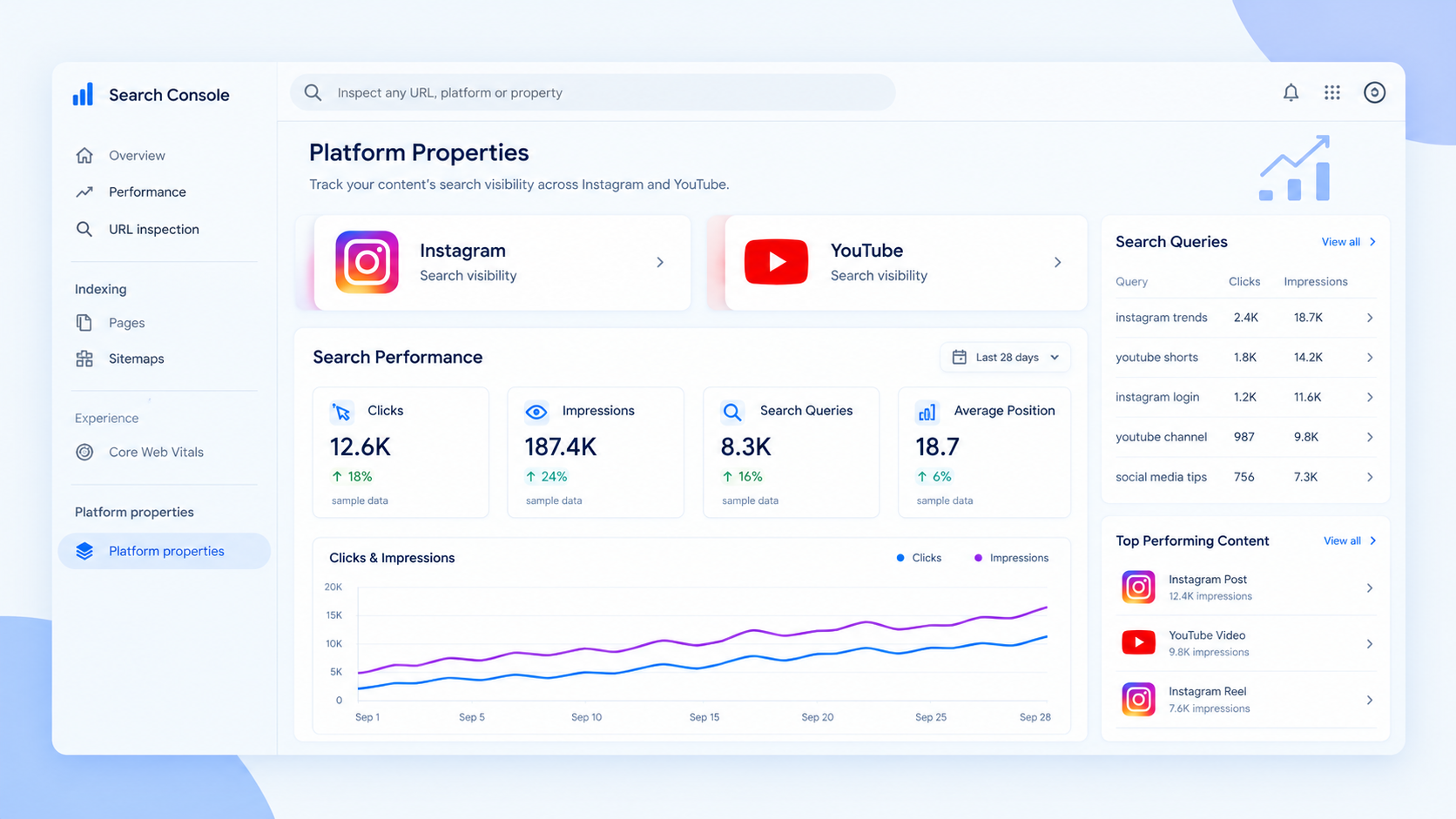
Begin by reviewing impressions, clicks, CTR, average position, and the available search queries.
Select an appropriate date range and identify which queries and pieces of content attract the most attention.
Rather than trying to analyze everything at once, start with a simple question: Which content is bringing relevant search traffic to my account?
That question provides a useful starting point for your ongoing SEO reporting.
How to Measure Instagram Search Visibility
Instagram analytics can tell you how people interact with your content on Instagram. Search Console adds information about how eligible Instagram content performs when discovered through Google.
Here is how to use that information.
1. Find the Queries Bringing People to Instagram
Open your Instagram Platform Property and review the Performance report.
Look for queries associated with your profile and content. These searches can reveal the topics people are interested in before they visit your Instagram content through Google.
For example, a skincare business might discover searches related to skincare routines, skin treatments, or product comparisons. A digital marketing agency might find queries related to SEO tips, content marketing, or website optimization.
Use the actual queries in your report to guide your decisions. Do not assume that a topic is valuable simply because it sounds popular.
If you notice relevant searches appearing consistently, consider creating additional Instagram content that addresses those questions.
2. Identify Posts That Attract Clicks
Impressions tell you how often your content appeared in eligible Google search results. Clicks indicate how often people selected that content.
Suppose an Instagram post receives 800 impressions and 32 clicks from Google during a reporting period. Its CTR is 4%.
That gives you a useful baseline for understanding how often search exposure turns into visits.
Next, look at the post’s subject and the queries associated with it. Does the post answer a specific question? Is the topic closely related to your services? Could a similar post provide additional information that your audience needs?
Use these observations to plan future content. Do not assume that every post with a low CTR needs rewriting; the search terms, content format, and relevance all matter.
3. Separate Branded and Non-Branded Queries
Branded queries contain your business name or another recognizable brand term. Non-branded queries focus on a topic, problem, product, or service without mentioning your business.
For example, a marketing agency might receive searches for its company name as well as searches for questions about SEO audits.
These two query types tell different stories.
Branded searches can help you understand how people discover your existing brand. Relevant non-branded searches may reveal opportunities to reach people who are researching a problem before choosing a provider.
Review the queries available in your reports and identify the subjects that deserve more attention.
4. Use Instagram Search Insights to Plan Better Content
Suppose your agency’s Instagram content receives search impressions for questions about improving website rankings.
You could respond by creating a carousel explaining common SEO mistakes, a short video demonstrating a website audit, or a post answering a specific question.
The objective is not to repeat the same keyword in every caption. It is to publish useful content that matches the questions your audience is asking.
Keep using Instagram’s own analytics to understand on-platform engagement. Search Console adds the Google Search perspective; it does not replace your Instagram reporting.
How to Measure YouTube Search Visibility
YouTube videos can be discovered through YouTube Search, recommendations, external websites, and Google Search. Each source contributes differently to a video’s overall performance.
Google Search Console Platform Properties help you understand the Google Search side of that picture.
1. Discover the Searches Leading to Your Videos
Open your YouTube Platform Property and review the available search queries.
Look for relevant terms that reveal why people discover your videos.
For example, a software company might find queries related to product tutorials, setup instructions, or troubleshooting. A marketing agency might discover searches about keyword research, technical SEO, or AI search optimization.
These queries can provide useful ideas for your next video.
If a tutorial attracts relevant searches about website audits, consider creating a follow-up video explaining how to identify indexing issues or improve page performance.
This approach connects video planning with actual search behavior instead of relying entirely on assumptions.
2. Track Impressions, Clicks, and CTR
Review the Performance report to understand how often your eligible content appears in Google Search and how frequently users click it.
For example, a video might receive 2,000 impressions and 100 clicks from Google Search. Its CTR would be 5%.
That figure helps you understand how effectively search impressions translate into clicks, but it does not tell the whole story.
Look at the queries generating those impressions. Are they relevant to the video? Does the video provide the answer people are looking for? Are certain topics consistently attracting more search traffic than others?
Use those details to improve your content strategy rather than judging every video against one CTR target.
3. Compare Google Search Data With YouTube Studio
This is one of the most useful steps for understanding YouTube performance.
Search Console helps you evaluate how people discover your content through Google. YouTube Studio provides additional information about viewing behavior and discovery within YouTube.
For example, a video might receive substantial traffic from YouTube recommendations but very few clicks from Google Search. Another video might attract fewer total views but consistently reach people searching for a specific solution.
Both videos may be valuable, but they serve different discovery patterns.
Use Search Console to understand Google visibility and YouTube Studio to evaluate metrics such as watch time, audience retention, and available traffic sources.
Together, these reports give you a more complete understanding of how your videos reach viewers.
Which Metrics Should You Track?
You do not need a complicated dashboard to start measuring social media SEO performance. Begin with the metrics that help you understand whether your content is reaching the right audience.
| Metric | What it tells you | What to do with it |
|---|---|---|
| Impressions | How often eligible content appears on Google | Identify topics gaining search exposure |
| Clicks | How often users select your content | Find content attracting search visits |
| CTR | The percentage of impressions that lead to clicks | Evaluate how effectively search exposure generates visits |
| Average position | The average position of your content across relevant search appearances | Monitor changes in search visibility |
| Search queries | The terms associated with your content’s appearances | Find topics for future posts and videos |
| Top-performing content | Which content attracts the most search interest | Identify subjects worth developing further |
Review these metrics over consistent periods, such as month over month. Compare similar date ranges and consider seasonal changes before deciding that performance has improved or declined.
Also, remember that search clicks are not the same as leads. If your goal is to generate enquiries, use suitable website analytics, conversion tracking, and CRM data to understand whether search visitors eventually become customers.
How to Turn Platform Property Data Into More SEO Opportunities
Collecting data is useful, but the real benefit comes from applying what you learn.
1. Create Content Around Real Questions
Suppose your YouTube property shows that people find your videos through queries related to AI search optimization.
Instead of creating another broad video about digital marketing, consider a more specific topic, such as how businesses can improve the clarity and usefulness of content for AI-powered search experiences.
You can also develop related blog posts or Instagram content, provided each format serves a clear purpose.
This helps you build content around demonstrated audience interest rather than publishing topics without a clear reason.
2. Repurpose Content That Already Works
If a YouTube tutorial consistently attracts relevant Google Search traffic, turn its main lessons into an Instagram carousel or a short video.
If an Instagram post answers a common question, consider expanding the subject into a website article.
Repurposing does not mean copying the same content word for word. Adapt the information to the audience, format, and purpose of each channel.
A detailed tutorial may work well on YouTube, while a short checklist might be more useful on Instagram.
3. Connect Social Content With Relevant Website Pages
Social content can introduce people to a topic, while your website can provide more detailed information about your services.
For example, if your videos attract searches about content creation, review whether your website has a relevant service page or helpful article.
If it does, make sure that page answers the user’s questions and explains the next step clearly. If it does not, consider whether creating a useful resource would support your business goals.
Measure website performance separately in your website’s Search Console property. Use appropriate analytics to assess enquiries and conversions.
4. Build a Monthly Reporting Routine
A simple monthly report can help your team make more consistent decisions.
Include Instagram clicks and impressions, YouTube clicks and impressions, important search queries, top-performing content, and topics showing changes in visibility.
Add a short action plan explaining what you will do next. For example, you might publish a follow-up video, update an existing article, or create Instagram content around a relevant question.
This keeps reporting focused on decisions rather than filling a spreadsheet with numbers that nobody uses.
Common Mistakes to Avoid
Confusing Google Search with internal platform search. Platform Properties measure eligible performance through Google and supported Google discovery surfaces. They do not report every search made within Instagram or YouTube.
Expecting immediate results. Newly connected properties may take a few days to show data. Check verification and allow time for reporting to populate.
Judging content by impressions alone. Impressions show exposure, not business value. Consider clicks, relevance, and conversion data.
Treating average position as a guaranteed ranking. Average position summarizes search appearances and does not mean your content will appear at exactly the same position for every search.
Ignoring native analytics. Search Console cannot replace Instagram analytics or YouTube Studio. Use each tool for the questions it is designed to answer.
Expecting rankings or leads to improve automatically. The feature provides useful insights, but you still need relevant content, a sound SEO strategy, and appropriate conversion measurement.
Final Takeaway
Google Search Console Platform Properties make it easier to understand how your Instagram and YouTube content reaches people through Google Search.
Instead of relying only on views, likes, and engagement, you can examine search queries, clicks, and impressions to discover which topics attract attention and where new content opportunities may exist.
The most useful approach is to combine these insights with Instagram analytics, YouTube Studio, website SEO reports, and conversion tracking. Each tool answers a different question, and together they help you make better-informed marketing decisions.
For businesses, the goal is not simply to gain more impressions. It is to understand what people are searching for, create content that answers their questions, and make it easier for the right audience to discover your expertise.
At Sandstream, this is the kind of insight that supports a more informed digital marketing strategy: using real search behavior to guide content decisions, strengthen organic visibility, and create meaningful opportunities for business growth.